
Overview of the study design
Introduction
You get to the Overview of the study design page, in one of the following ways:
- When clicking the link from the study summary page:
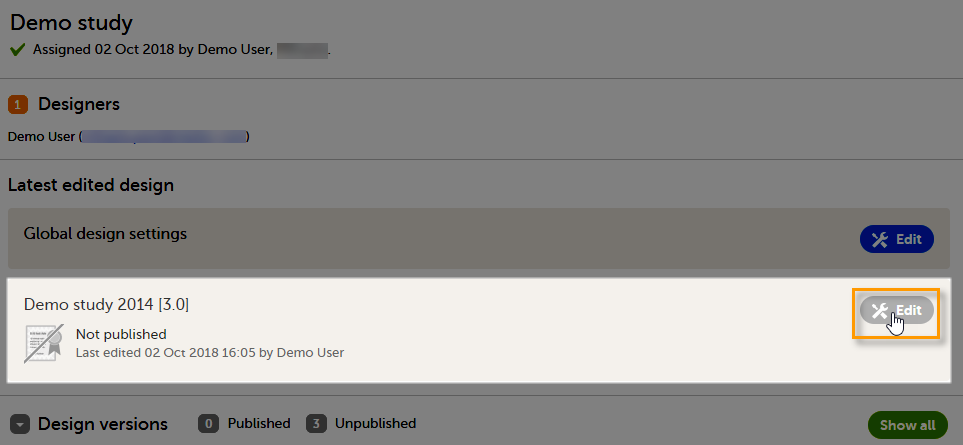
- After initiating a design, either by creating a new design from scratch, or by importing an existing version. See Initiating a design / Importing a new design version / Adding a new empty design version.
Overview of the study design
The Overview of study design page consists of the following main areas:
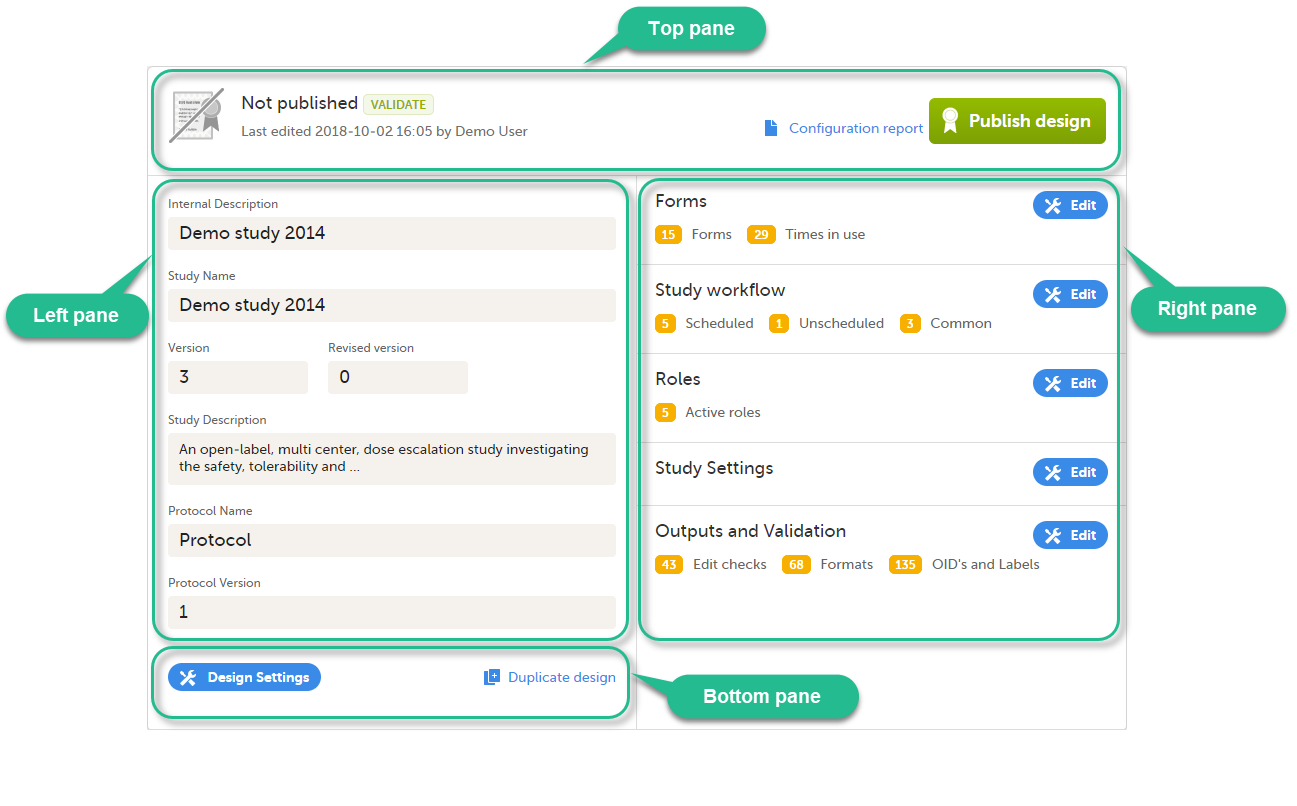
- Top pane - provides information on whether the design version is published or not, when it was last edited and by whom, as well as links for:
- Validate the design - for details, see Validating a study design.
- Configuration report - for details, see Configuration report.
- Publish design - for details, see Publishing a study design.
- Left pane - descriptive information of the study design
- Right pane - links to view/edit:
- Forms - here you configure the forms that will be used within the study design. For details, see Creating and editing forms.
- Study workflow - here you can set up the events in the study, and populate the events with activities and forms. For details, see Study workflow.
- Roles - here you configure the clinic roles and their permissions within the study. For details, see Configuring roles.
- Study settings - for details, see:
- Selection View Settings - here you can configure the information to be displayed on the subject card.
- Subject Id Generation Settings - here you can set up the format for the Subject ID, used to identify a subject within the system.
- SDV Settings - the Source Data Verification (SDV) setting enables you to choose what forms and items to require SDV in your study.
Note! All new studies from the Viedoc 4.95 release onwards, will have the new Viedoc SDV Manager enabled by default. This means that for all studies created after the 4.95 release, all SDV configuration is done in Viedoc SDV Manager
For more information, see SDV settings. - Miscellaneous
- Alerts - here you can set up alerts in your study to notify users about important occurrences in the data.
- Subject Status - here you define the statuses of a subject, that will be used for calculating the Metrics displayed in Clinic.
- Setting up the randomization - here you configure randomization, if used within your study.
- eLearning settings - here you configure the eLearning curriculums that should be available for the clinic users in your study.
- Outputs and Validation - this section summarizes some of the item settings that performed in Viedoc Designer and provides a better overview and an easier way to update those. For details, see Outputs and validation.
- Bottom pane - links for:
- Design settings - directs you to the Design settings page, where you can export, lock or delete the design. For details, see Exporting/Locking/deleting a study design.
- Duplicate design - for creating a new version/revision of the design. For details, see Duplicate a design - versions and revisions.