
SDV Settings
Introduction
If applicable for your study, the Viedoc Source Data Verification SDV Manager application is available.
Users assigned the role of SDV Manager can define Source Data Verification (SDV) requirements and plans and apply them selectively across study sites based on risk.
Note! All new studies from the Viedoc 4.95 release onwards will have the new Viedoc SDV Manager enabled by default as shown in Study Settings:
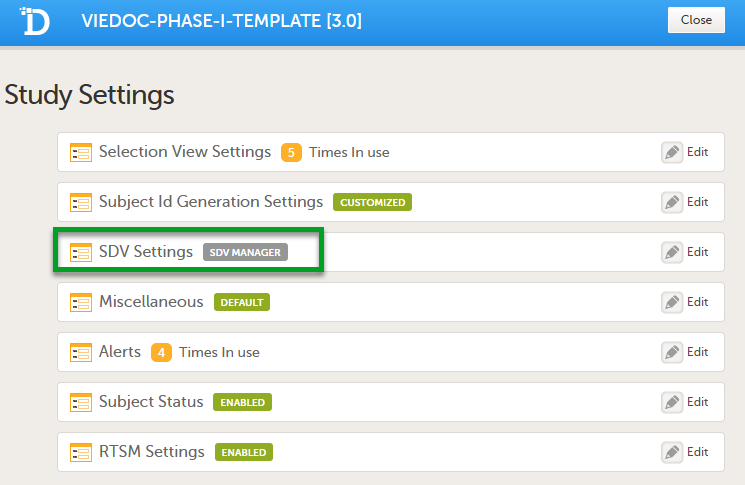
Existing studies will retain their current SDV settings, and have the option to update to the SDV Manager.
| Important! Once the SDV Manager is enabled for a study, it cannot be reverted. |
For existing studies, which use the legacy SDV, if a study updates to use the SDV Manager, you will still be able to view the original forms and items selected for SDV. The SDV settings beome read-only, and you are notified that the SDV settings are managed by SDV Manager:
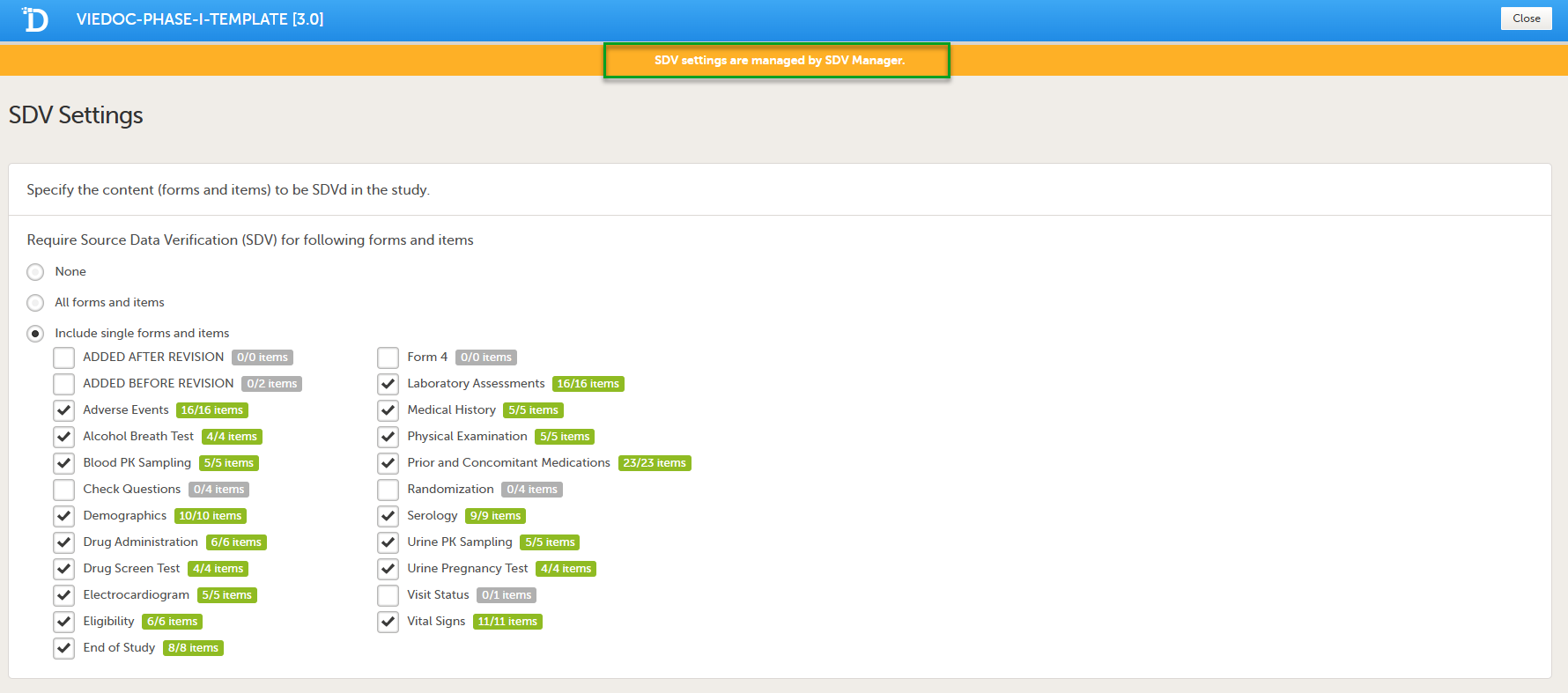
When SDV Manager is enabled, SDV is not controlled by the study design settings. Instead, SDV is controlled by Dynamic SDV rules configured in the SDV Manager application. These rules determine which items require SDV and whether SDV is required or optional. This allows Monitors to see which items are required and which are optional.
For more information, see Viedoc SDV Manager.
SDV behavior differs from legacy SDV by introducing an SDV Behaviour dropdown with three options:
- Form Level SDV (the default for existing studies). SDV is performed at the form level for all items, including hidden items.
- Item Level SDV: SDV is performed on individual visible items only.
- Viedoc SDV Manager: default for all new studies from version 4.95 onwards. SDV requirements are defined by dynamic, per-subject rules, not by static study design settings.
A tooltip in the study settings explains each option.
Legacy SDV for studies before Viedoc release 4.95
The Source Data Verification (SDV) setting enables you to choose which forms and items that require SDV in your study.
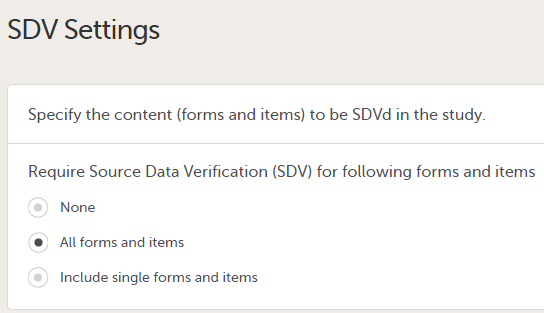
The available options are:
- None - no forms/items will require SDV
- All forms and items (default) - all the forms and items will require SDV
- Include single forms and items - select from the list displayed which forms and items will require SDV
Note! The SDV Settings can only be edited in a new design version (not a revision).