
Activating your Viedoc account
Activating your Viedoc account
The first time you are invited to be a part of a study in Viedoc, you will recieve an invitation by email with an account activation link.
To activate your account:
| 1 |
Select the link in the invitation email. The account activation window is displayed: 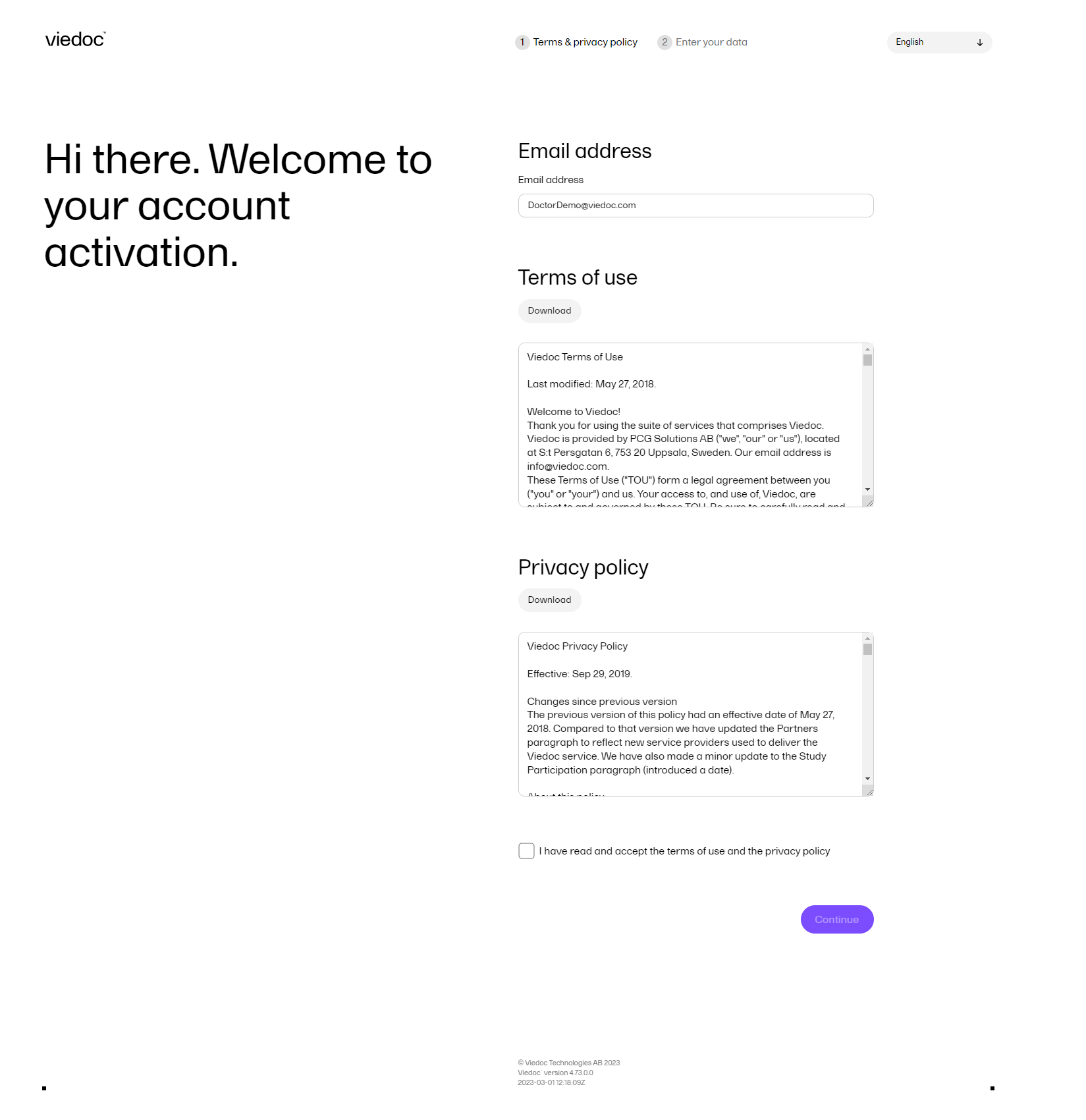
|
| 2 | Read the Terms of use and the Privacy policy documents, and then select the checkbox to confirm you have read and accepted them. |
| 3 |
Select Continue. You will be directed to Step 2/2: 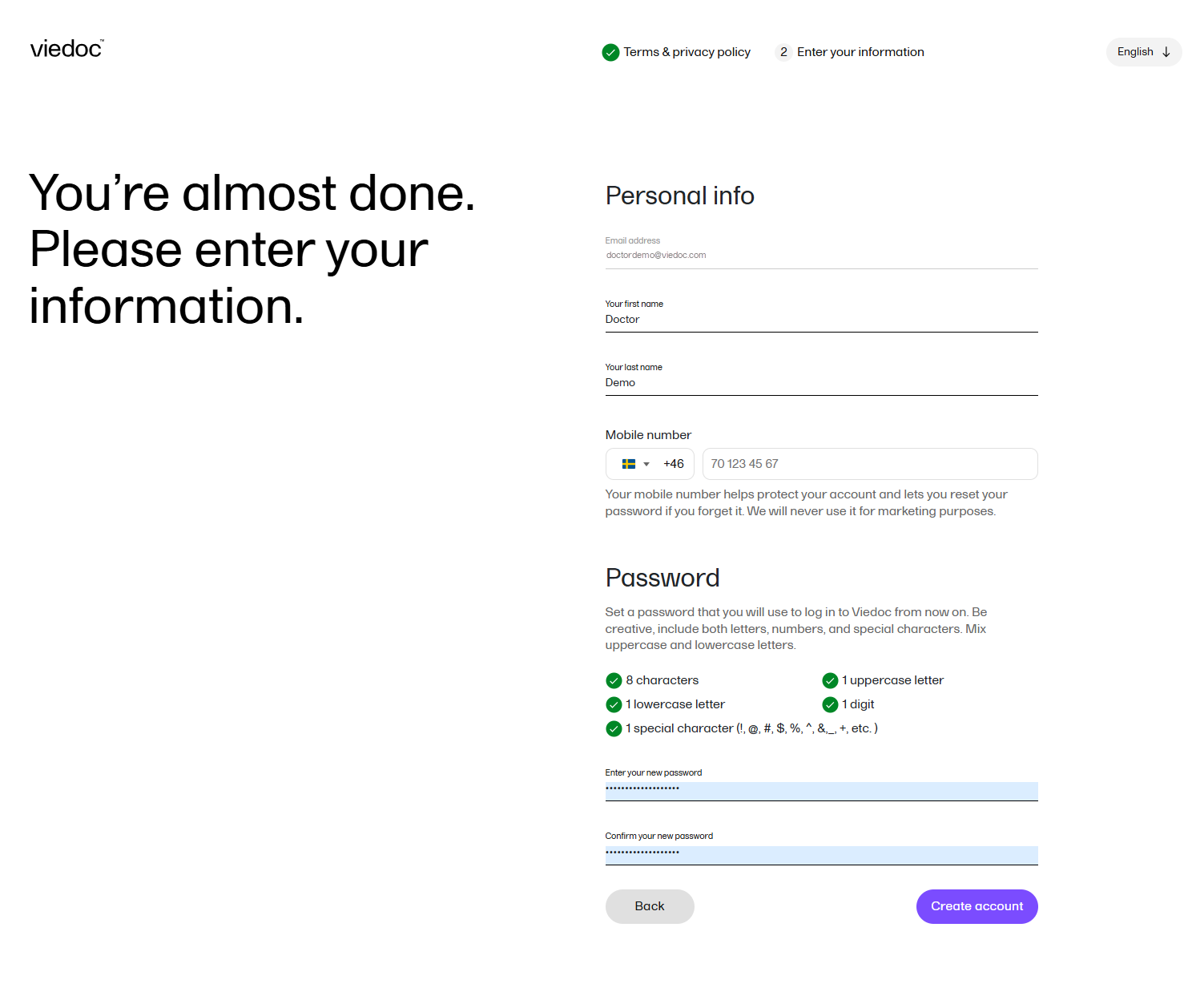
|
| 4 | Enter your first name and last name in the Your first name and Your last name fields. |
| 5 |
Select your country code and enter your mobile number: 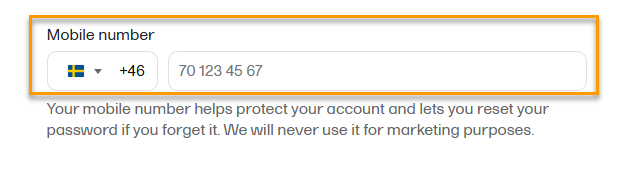
|
| 6 |
You are prompted to verify your mobile number: 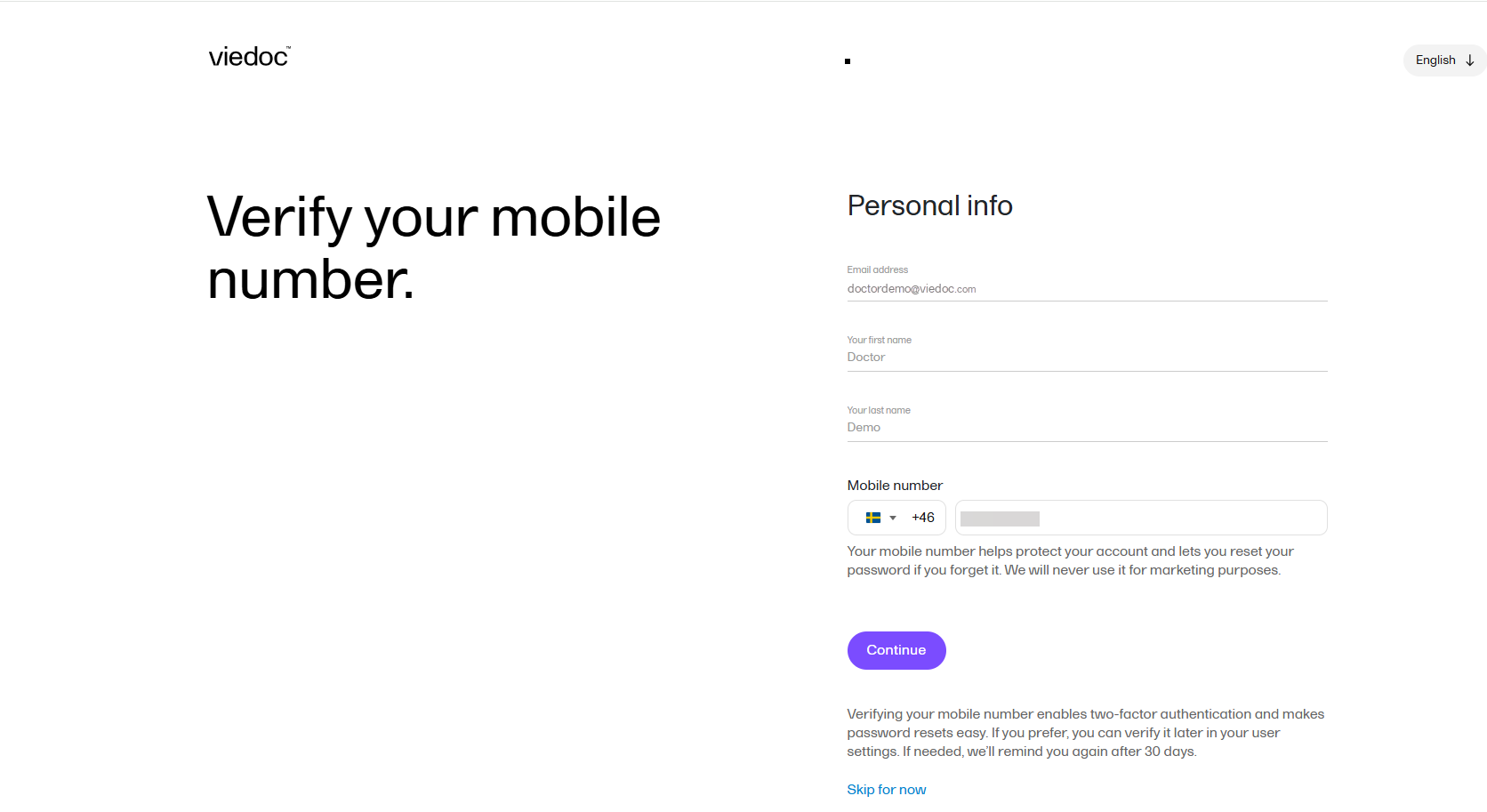
Select Continue to save and and create your account. Your account has now been created and you will be asked to verify your mobile number. This ensures that a verified mobile number is available for use as a second authentication factor when restoring a password. You can choose to choose to close the verification screen without verifying your mobile number and select |
| 7 | Enter a password in the Enter your new password field. The indicators to the right inform you when you have fulfilled all of the requirements for a strong password. |
| 8 | Confirm the chosen password by entering it again in the Confirm your new password field. |
| 9 | Select Continue. You will get a notification message saying that your account was created. |