
Managing templates
Renaming a template
To rename a template:
| 1 |
In Viedoc eTMF, select the TMF Admin view: 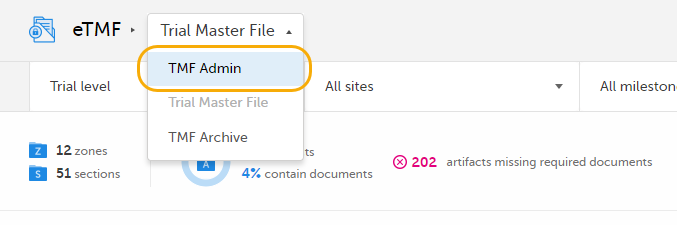
|
| 2 |
Click the Templates tab at the top of the page: 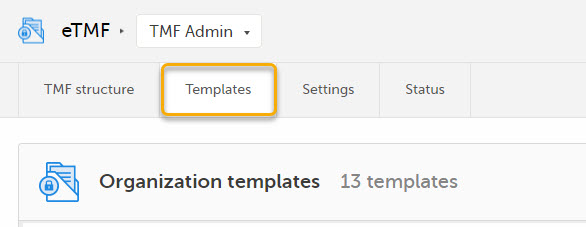
|
| 3 |
Click Manage for the template that you want to rename: 
|
| 4 |
In the Manage Template pop-up, click Edit: 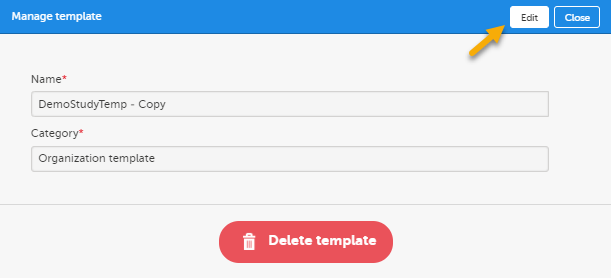
|
| 5 | Change the template name. |
| 6 | Click Save changes. |
Deleting a template
To delete an eTMF template:
| 1 |
In Viedoc eTMF, select the TMF Admin view:
|
| 2 |
Click the Templates tab at the top of the page:
|
| 3 |
Click Manage for the template that you want to delete: 
|
| 4 |
Click Delete template in the pop-up: 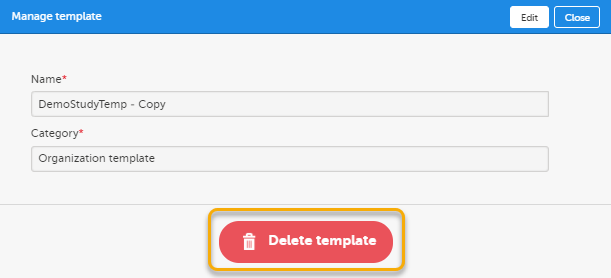
|
| 5 | Click Yes to confirm. |